An E-reader Purchase Starts With the Books You Already Own
Trace one library loan and one owned book through formats, accounts and offline reading.
In this article
- Identify the path for each book
- Test layout and reading controls
- Rehearse the next offline evening
- Compare two borrowing pipelines at the account boundary
- Formats with the same extension can behave differently
- Check how the reader keeps your place
- Decide where a book lives before you replace hardware
- Bring the smallest realistic library to the purchase
The quickest way to misjudge an e-reader is to try only the books sold through its store. A library loan has an account and lending workflow. A purchased file can carry copying restrictions. A document received by email may be a single page designed for a much larger screen. Try a few items from your own library before committing to hardware.
Identify the path for each book
Start with a loan you expect to borrow regularly, a legally transferable EPUB you already have, and a PDF you need for reference. Write down the service that supplies each item, any separate sign-in and the point at which the device receives the book. An EPUB file describes a packaging format. Availability of a book in that format alone tells you little about which vendor account or reading platform can open an encrypted copy.
Library support can differ by country, lending service and model. Ask the library or read its instructions for the exact path it supports. For an occasional loan, browser or phone reading may be perfectly adequate. For a weekly habit, the number of times you must switch devices, sign in or run a transfer matters.
Test layout and reading controls
Reflowable books can adjust line breaks to the screen, chosen font size and margins. A fixed-layout PDF generally preserves page positions, which can leave tiny figures and table labels on a six-inch display. Try changing text size, opening a footnote and returning to the last position. A display can look sharp in a store and still be hard to use for a document that requires constant zooming and panning.
Select a chapter with italics, a diagram or several links and inspect what happens when text size increases. If the manual for your hobby uses scans, test a scanned page. Text-to-speech and dictionary support can also vary by format and device. Evaluate the routines you actually need, including whether you can make a bookmark or re-find a reference without turning on a second screen.
Rehearse the next offline evening
Download or transfer the sample books, put the reader offline and restart it. Check that the files open and that location, highlights and dictionaries behave as expected. For a timed loan, learn the expiration date before travel. Keep personal documents in a backed-up folder rather than assuming highlights or last-page data are a complete substitute for the source.
When comparing two readers, record the steps needed to get from a title or PDF to the page you need. A smoother pipeline can be worth more than a small specification difference. A file you legally control and can back up also reduces the disruption if a particular service, reader or account changes later.
Compare two borrowing pipelines at the account boundary
Suppose you borrow fiction from a public library and a nonfiction title for an evening class. Find the exact edition of each title before judging whether the reader can take it. Audiobook and ebook results can sit side by side in a catalog. A single title may be offered in multiple formats, and one edition may lack a delivery option that appears on another. Readers who move between countries can also encounter different public library arrangements after relocation.
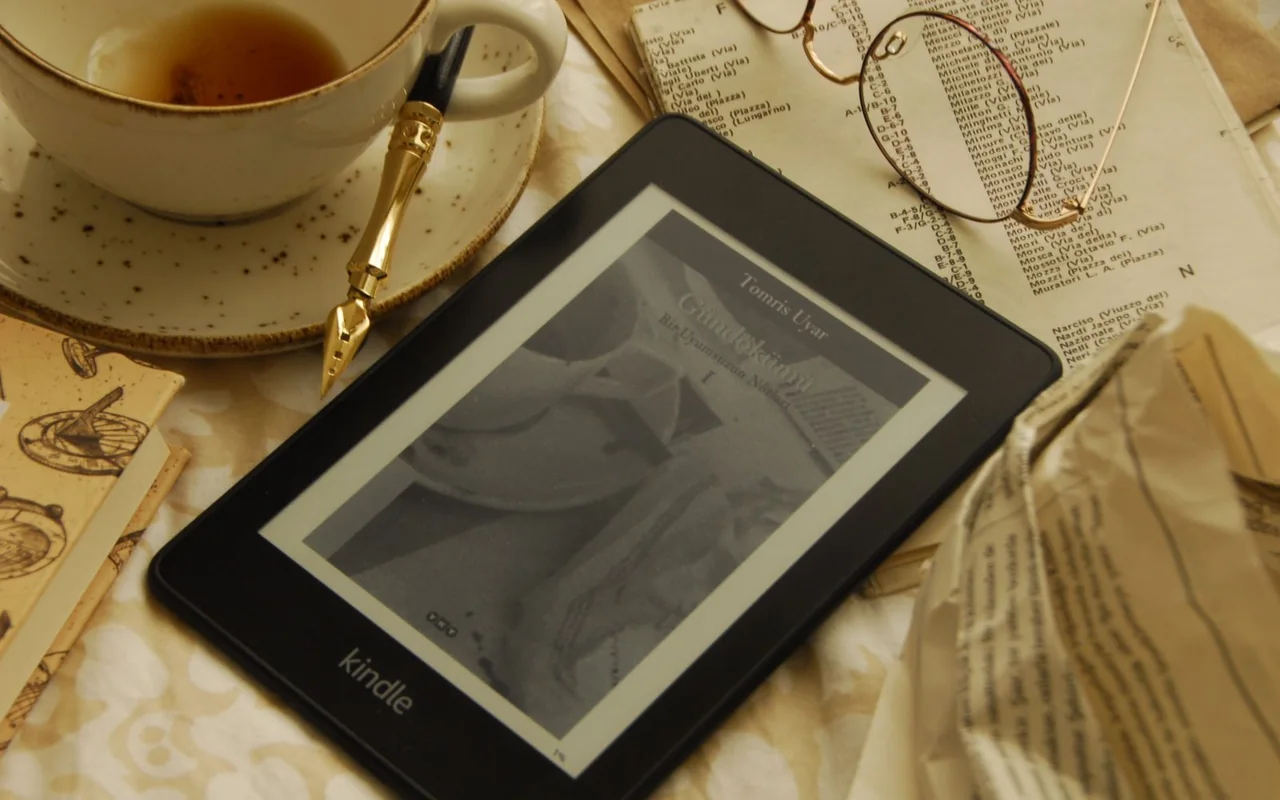
For a concrete example, Libby describes a way to read eligible loans on a Kindle ereader for U.S. libraries. Its guide sends the reader from the loan into an Amazon account to complete delivery. In contrast, Libby explains that many newer Kobo models support OverDrive sign-in with the library card directly on the reader. Use those examples to look for the boundary where the book changes hands. If you share your library account with no one but have several reading devices linked to the same store account, check which devices can receive the title once the transfer completes.
Try a transfer from beginning to end on a low-stakes title. Borrow it, sync the reader on a stable connection, open a later chapter, set a bookmark and close the reader for ten minutes. See if it returns to the same place. End the loan when you are done if the service lets you return it early. An expired loan can leave a cover or history entry in a reading app. What counts for travel is whether its pages still open while the loan is valid and the device is offline.
Formats with the same extension can behave differently
Reflowable EPUB builds pages to fit the reader's size and text preferences. Fixed-layout EPUB can set a page arrangement that remains important to the design. Both are EPUB files. The W3C reading systems specification treats the two layouts separately, so comparing one stylized graphic novel and one simple work of prose can reveal different strengths. An EPUB book with diagrams inside its text still may have illustrations too small to inspect comfortably. A file with fixed pages might preserve exactly where text belongs over an illustration while giving you little flexibility to enlarge the type separately.
On a reader you are considering, try one chapter that has a map, a table or an inset quote. Increase text size and check whether the paragraphs reflow cleanly, whether side information remains attached to its reference and whether links are easy to reach. Try switching orientation if the device offers it. For a large recipe scan or a two-column technical manual, landscape view may be an acceptable compromise on some pages and still hide content at the edge of a chart. Page turning and visual refresh also matter when you must jump back to an illustrated key every few paragraphs.
A robust owned sample makes the result more useful. Take an authorized file available for personal download from a publisher or a public-domain collection. Open the actual file in a second reader app and compare chapter order and headings. If you have multiple files with the same title, record the edition, release or source in a simple folder note. When a store sends you a link to its own library, keep the receipt and the account details needed to access it. That proof and the book file serve different purposes.
Check how the reader keeps your place
The page number shown in a print book refers to a particular edition. An ereader can build virtual pages after you change font size, line spacing or margins. An EPUB can supply print-corresponding page markers through a page list, but a particular title or reader may omit them or present them differently. A reading group that works through defined sections may do better with chapter headings and a short phrase from the passage than with a changing reader-generated page number.
If your routine includes taking notes on two devices, follow one highlight across a real handoff. Mark a sentence on the reader, change to your phone app, then see what transfers when you are signed in. If a sync feature works for a store title, try the same with an imported file. Devices and services can treat those libraries independently. Write down how to export a note you will later quote and what citation context it contains. Some notes are easiest to preserve in a short typed file that includes the title, author, edition and chapter alongside the reference.
Decide where a book lives before you replace hardware
A reader that contains your notes and fifteen years of downloads creates a larger migration problem than a new device with three books on it. Make an inventory of where a handful of important books came from. A personal file in an old email is recoverable by finding the attachment. A purchase tied to an account needs account access. A public-domain work has a wider choice of sources, but a particular translation or illustrated edition may be harder to replace. Keep a copy of externally sourced files you have permission to store and organize them independently of the reader's automatic library sync.
If storage is tight, give your files useful names and put the less common formats in a separate folder. Avoid duplicating hundreds of loan cover images or download placeholders that have no book attached. Keep annotations with their associated edition where possible. Confirm that a recipient who receives an authorized file can open it on the actual device before relying on it for instructions, a book club or a workshop. The few minutes required to find out what opens across platforms are a good investment when you expect to use the books for years.
Bring the smallest realistic library to the purchase
Bring one ordinary book, one hard-to-read item and one lending or store workflow you use every month. If the reader handles all three, move on to considerations like light comfort, screen size and navigation. If it handles the plain novel beautifully but struggles with charts and worksheets, assign that work to a larger screen and judge the reader on its strengths. Keeping occasional tasks on an existing device can be a reasonable choice when it buys a lighter, more comfortable reader for daily use.
If you read in two languages, your smallest library also needs a paragraph that uses the second script. A screen that shows Latin text cleanly may use a substituted font for a different script. Open the dictionary from an inflected word, search for a term with a mark above a letter and inspect whether the reading direction is correct. A conversion can keep all of the words while changing punctuation, emphasis or the quotation marks that tell you who is speaking. Check the format in which you actually receive these books, since a polished store sample may use a different edition and font.